It appears that your cart is currently empty


Information:
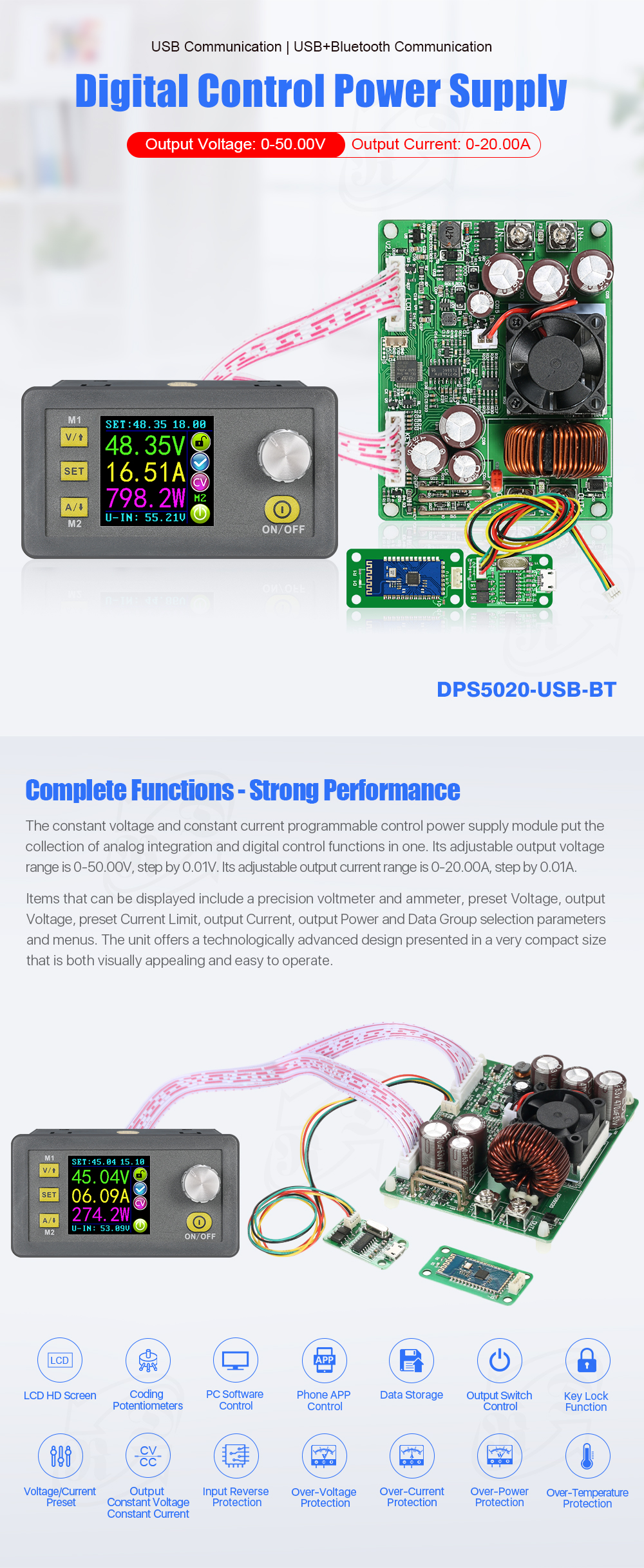
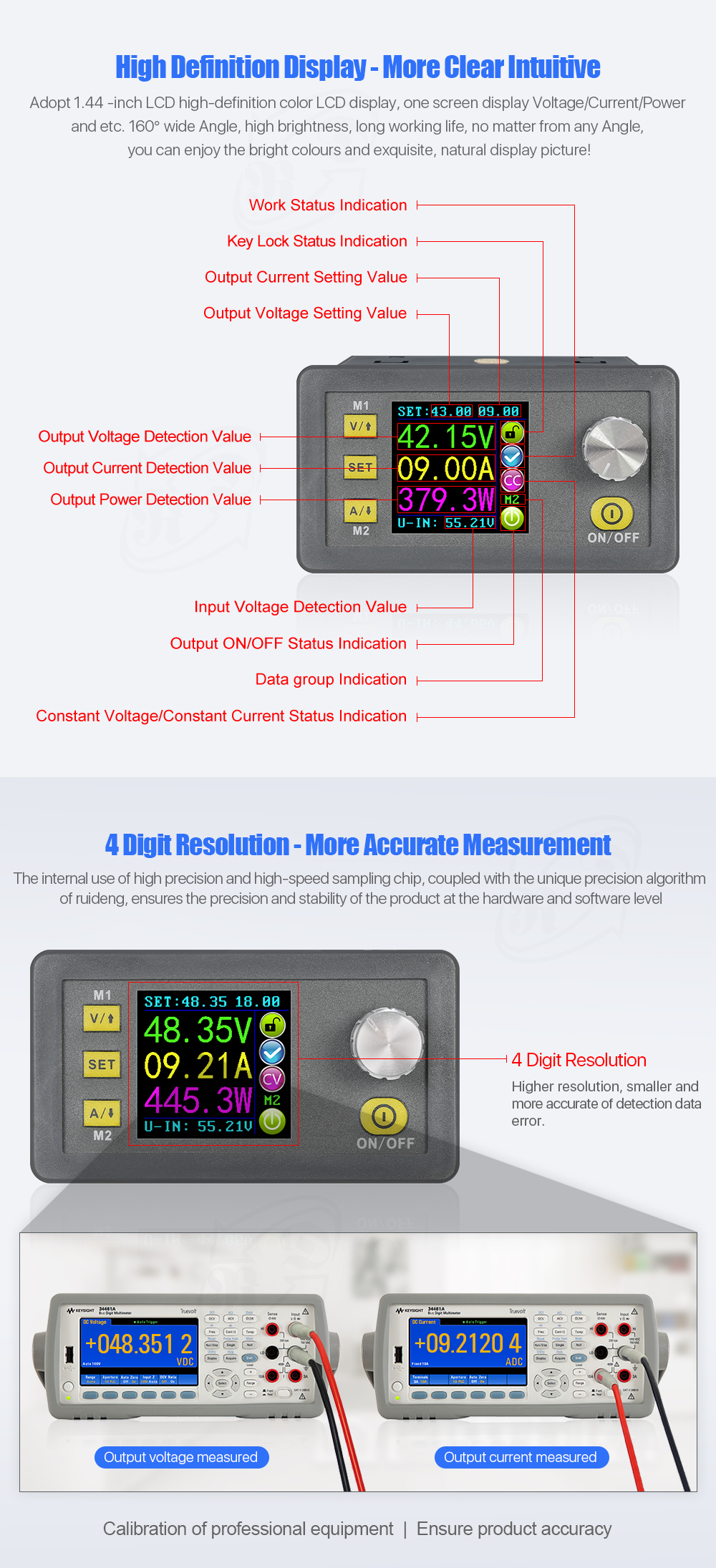
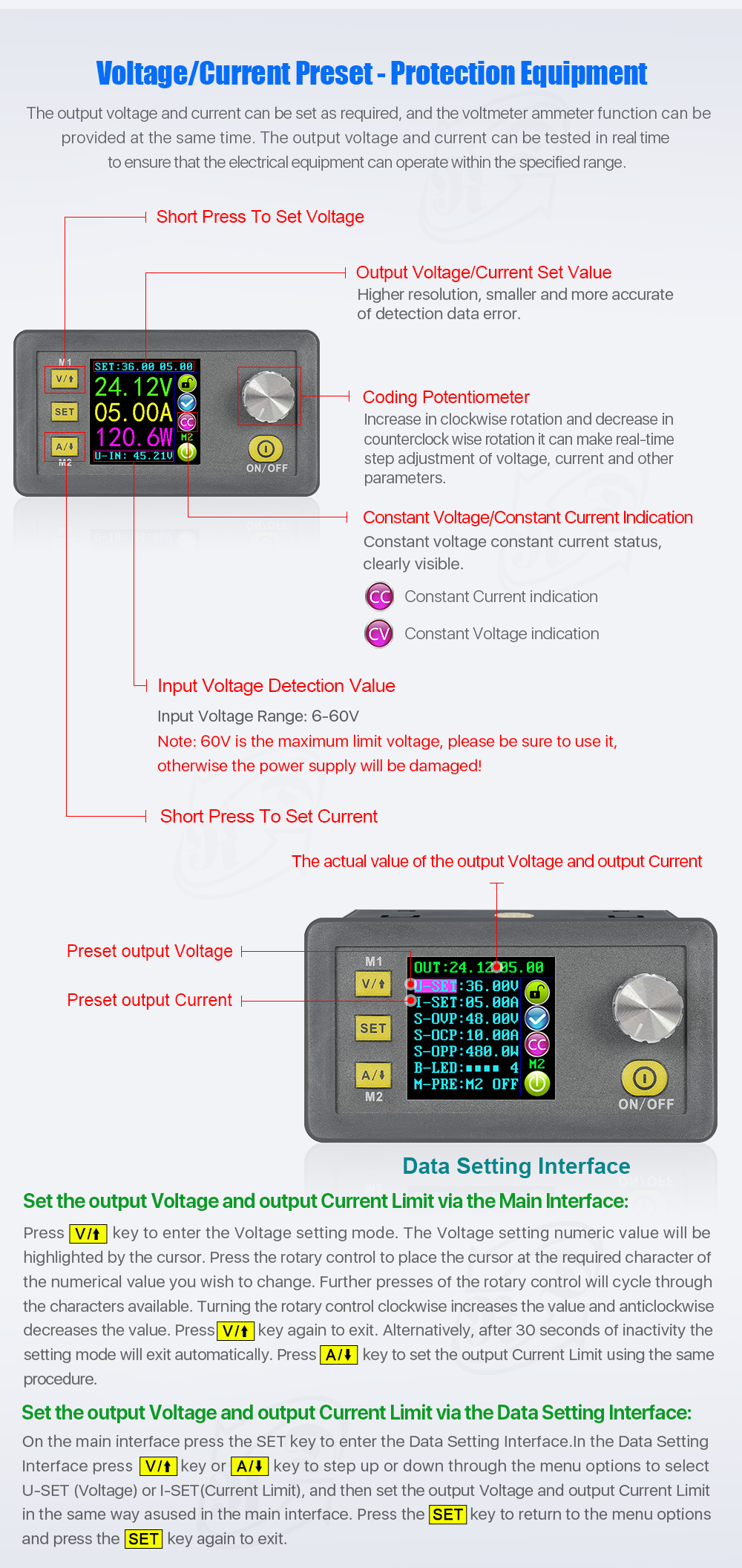
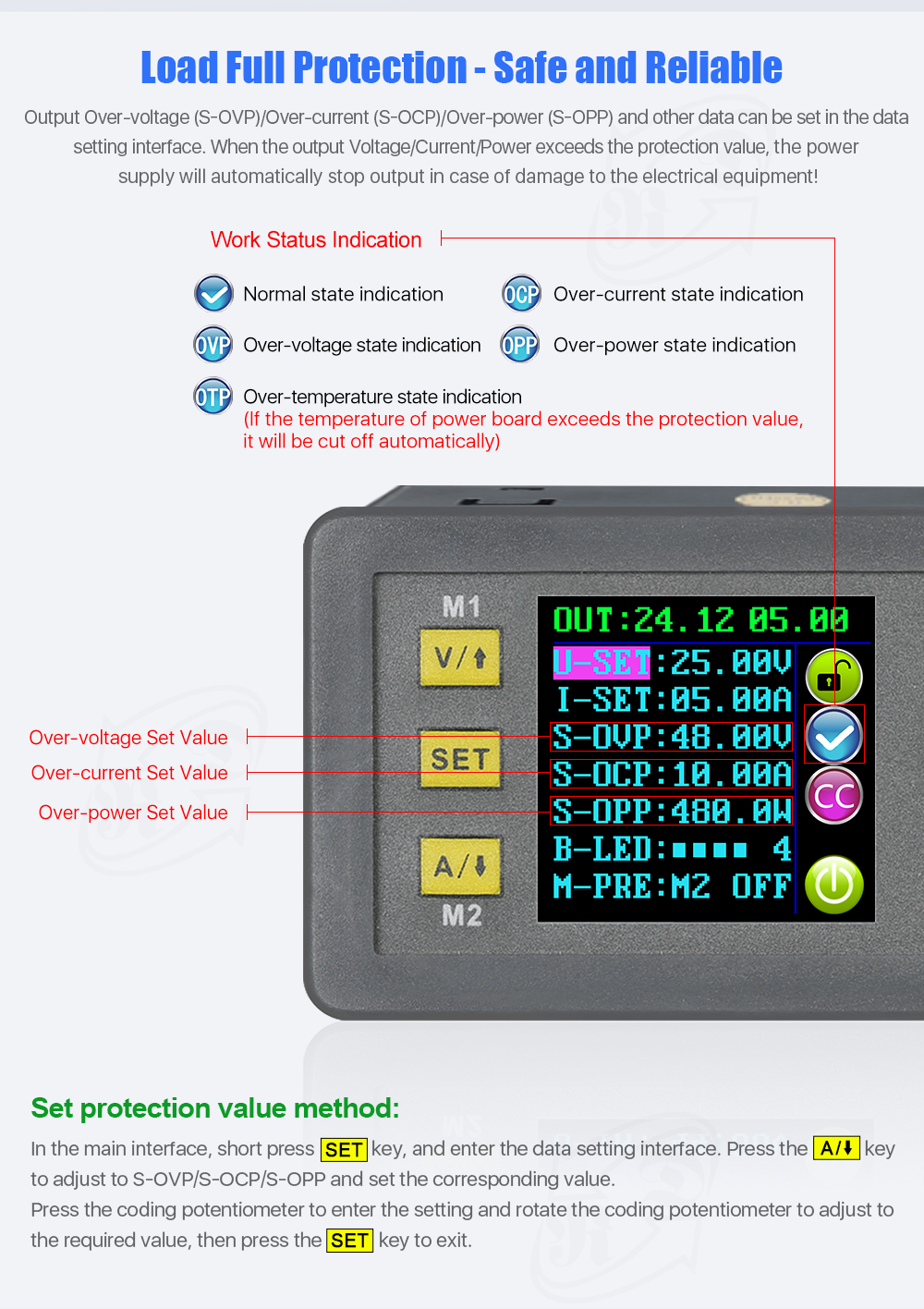
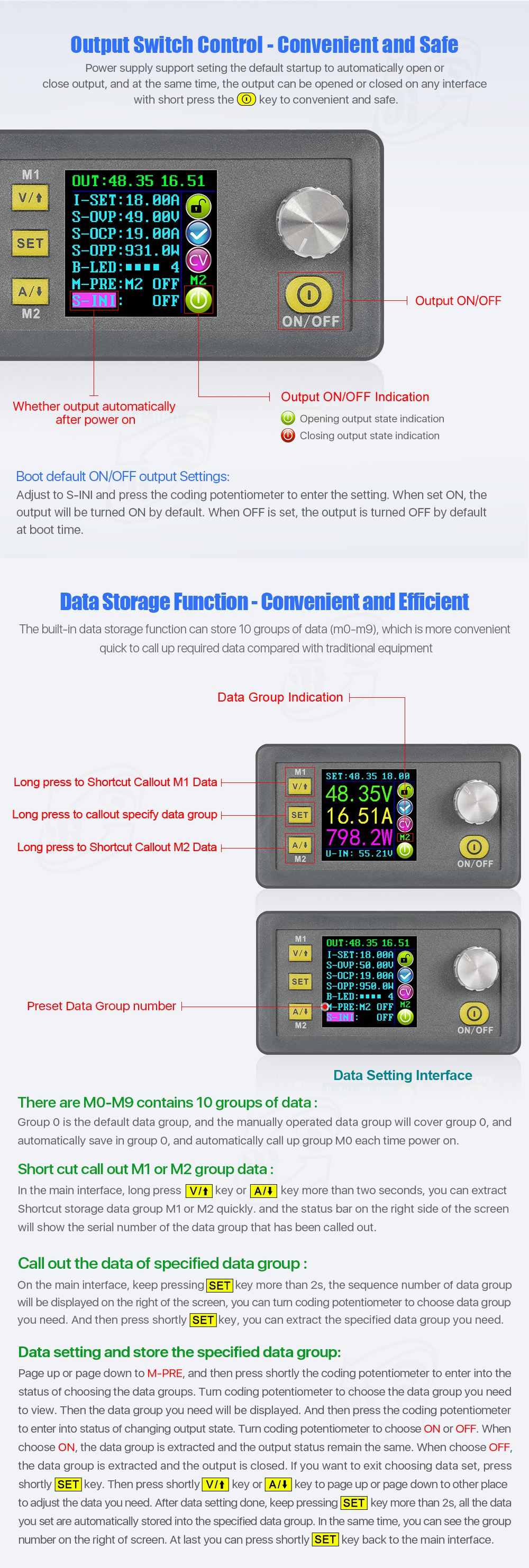
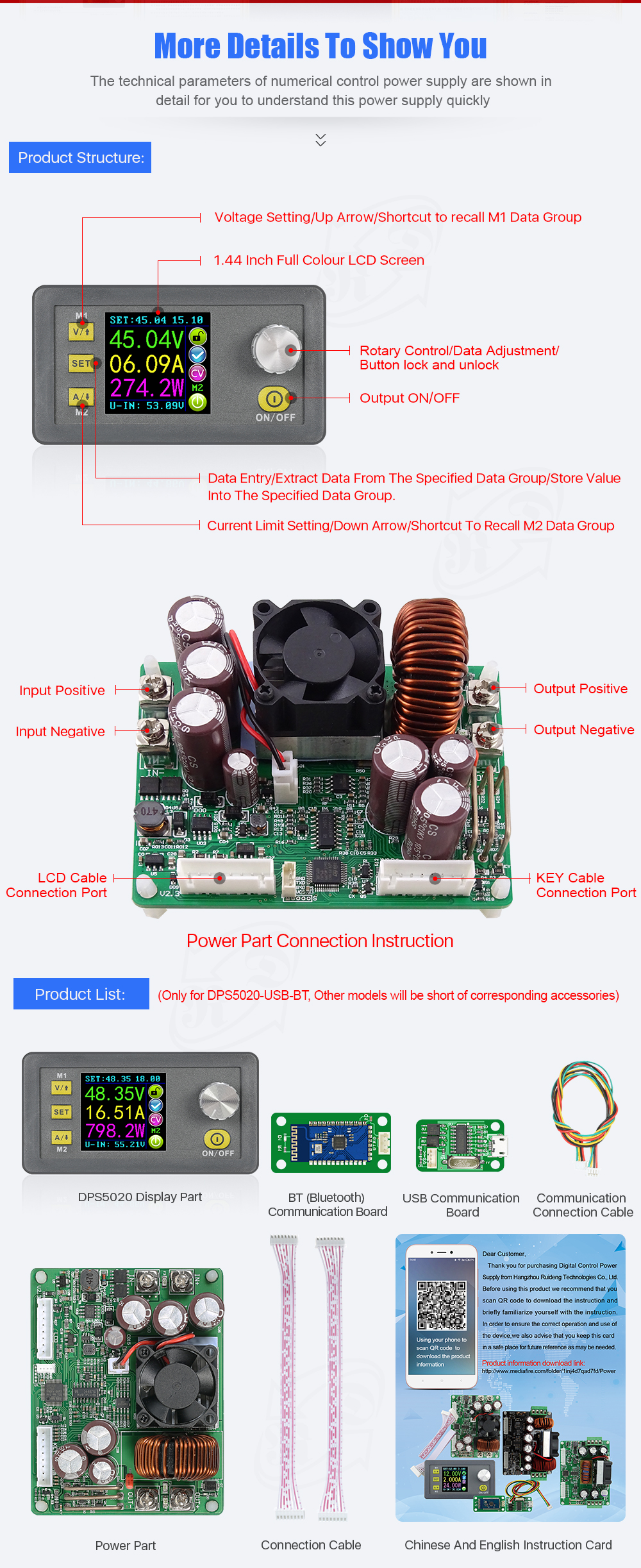
The constant voltage and constant current programmable control power supply module put the collection of analog integration and digital control functions in one. Its adjustable output voltage range is 0-50.00V, step by 0.01V. Its adjustable output current range is 0-20.00A, step by 0.01A. This module has power-down stored function and can store 10 groups preset value. And it also has the function of extracting quickly two groups stored value. Compared with the traditional analog power supply, it is more convenient to quickly extract the voltage or current required. LCD display on the module has the function digital voltmeter and ammeter. You can view the preset voltage, input voltage, output voltage, the preset current, output current, output power, etc. on the output state remind area, you can see that output opens or not, the state of constant voltage and constant current, output is normal or not, the key is locked or not, and the current data groups that is being used. On the setting data interface, you can adjust overvoltage value, overcurrent value, over-power value, data set and LCD brightness. This module has many advantages, small size, advanced function, good visual effect, high operability, high-preci sion, being used independently, being inset into the device and been widely applied.
Two version can select:
Type A: DPS5020 No Communication VersionType B: DPS5020 Communication Version USB Board+bluetooth BoardType C: DPS5020 Communication + USB version
Very important:
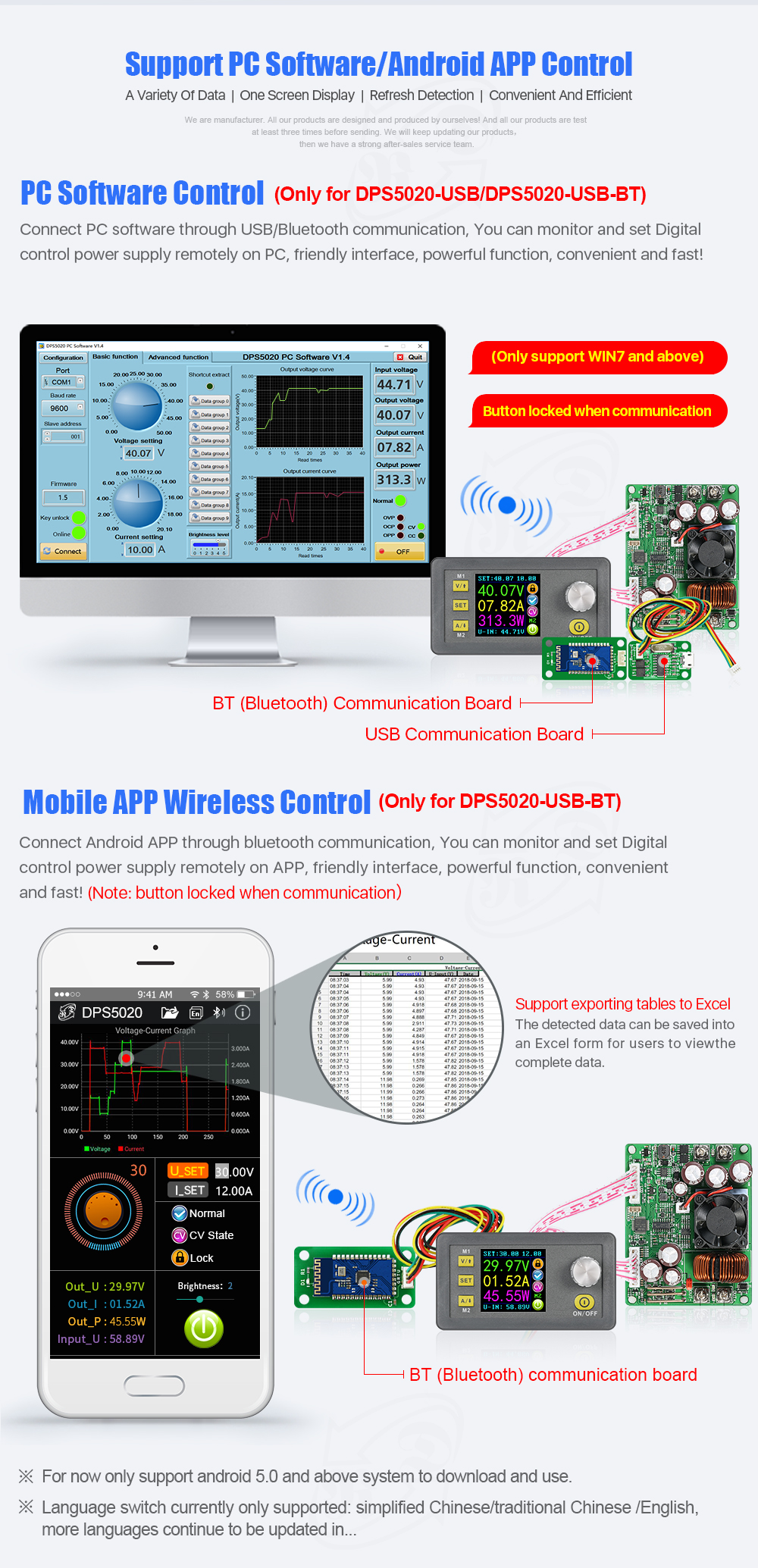
1. Before buying this product, please download the upper computer software and test, if it fits your computer , you can buy2. The upper computer only support For Win7 and above.3. This is file for upper computer installation and software, you can download:https://www.mediafire.com/folder/3iogirsx1s0vp/DPS_communication_upper_computer
Technical parameters:
Input voltage range: 6.00-60.00V
Output voltage range: 0V-50.00VOutput current: 0-20.00A
Output power range: 0-1000W
Product Weight: about 222g
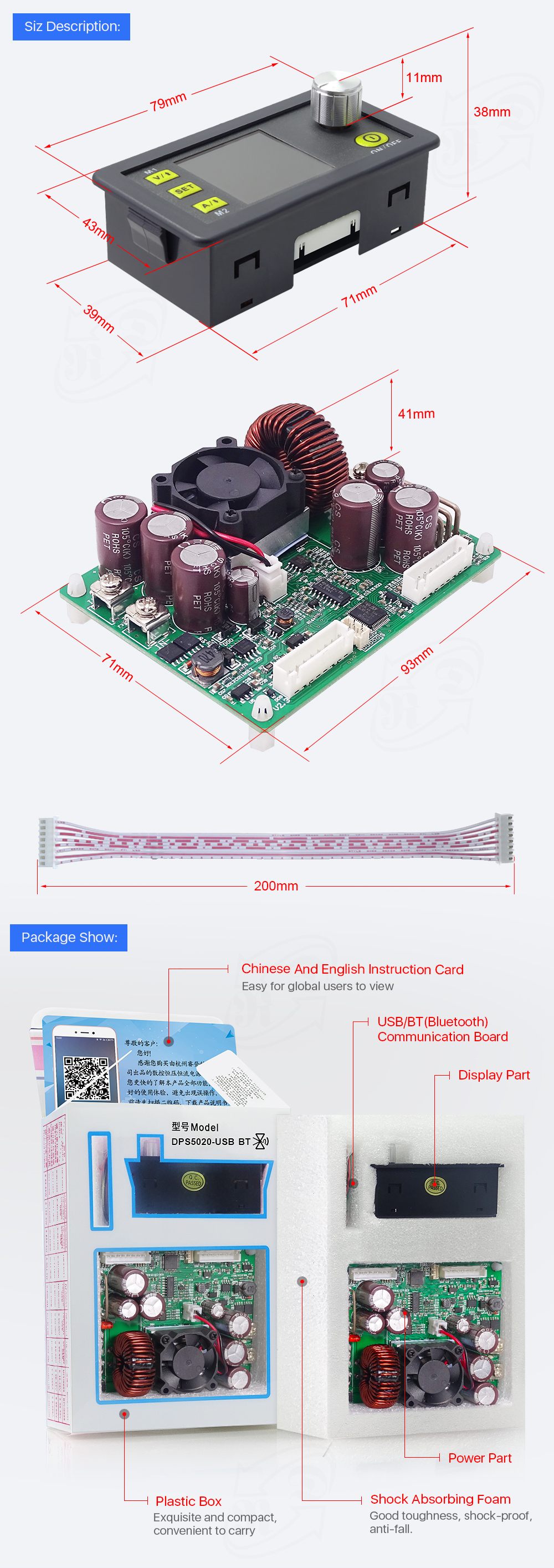
Display module size: 79*43*41(mm) (L*W*H)Open size: 71mm*39mm
Power module size: 93*71*41(mm) (L*W*H) Length of connecting line: 200mm
Fixed hole center distance: 86mm, 64mmOutput voltage resolution: 0.01V
Output current resolution: 0.01A
Output Voltage accuracy: ± (0.5% + 1 digit)
Output Current accuracy: ± (0.5% + 2 digits)NOTE: 1.You must make sure that the input voltage is 1.1 times higher than output voltage. Under large current circumstances, pay attention to heat elimination.2. Connection between display part and power part should be according to the corresponding words. Otherwise it will not work by wrong connection
Digital Power Supply related series of products:
| DPS3005 (ID: 1161595) | DPS5005 (ID: 1062473) | DPS5015 (ID: 1267786) | DPS5020(This item) | DPH5005 (ID: 1230368) | DPS8005 (ID: 1257198) | ||||||
| DP50V5A | DP30V5A | DPS3003 (ID: 1062475) | DPS3012 (ID: 1065235) | DPH3205 (ID: 1105294) | DPS3005 | DPS5005 | DPS5015 | DPS5020 | DPH5005 | DPS8005 | |
| DPS3005-USB | DPS5005-USB | DPS5015-USB | DPS5020-USB | DPH5005-USB | DPS8005-USB | ||||||
| DPS3005-USB-BT | DPS5005-USB-BT | DPS5015-USB-BT | DPS5020-USB-BT | DPH5005-USB-BT | DPS8005-USB-BT | ||||||
| Difference between DPDPS and DPH | 1. DPS series are updated version. Panel is different. In DPS series, we change the M1/↑and M2/↓ into V/↑and A/↓. You can press those buttons Set the voltage and current fast. We add a new function “set default boot open or close output”Others are not changed. 2. All those power supply can charge the battery directly, don't need external diode. When charging battery, don’t connect battery polarity reversely , otherwise, power parts will bunt. Find the difference between DPSandDP see this video https://www.youtube.com/watch?v=ptt931rrXo8 3. DPpower supply and DPS power supply are all buck (step-down) converter. But DPH3205 and DPH5005 is buck-boost (step-down and step-up) converter. 4. DPS3005, DPS5005 DPS5015, DPS5020, DPH5005 and DPS8005 have communication version. You can connect PC and use upper computer. |
||||||||||
| Communication function | NO | NO | NO | NO | NO | Yes | Yes | Yes | YES | YES | YES |
| Working mode | Buck | Buck | Buck | Buck | Buck-Boost | Buck | Buck | Buck | Buck | Buck- Boost | Buck |
| Input voltage | 6-55V | 6-40V | 6-40V | 6-40V | 6-40V | 6-40V | 6-55V | 6-60V | 6-60V | 6-50V | 10-90V |
| Output voltage | 0-50.00V | 0-32V | 0-32V | 0-32V | 0-32V | 0-32V | 0-50V | 0-50V | 0-50V | 0-50V | 0-80V |
| Output current | 0-5.000A | 0-5.000A | 0-3.000A | 0-12.00A | 0-5.000A | 0-5.000A | 0-5.000A | 0-15.00A | 0-20.00A | 0-5.000A | 0-5.000A |
| Output power | 0-250W | 0-160W | 0-96W | 0-384W | 0-160W | 0-160W | 0-250W | 0-750W | 0-999.9W | 0-250W | 0-400W |
| Voltage resolution | 0.01V | 0.01V | 0.01V | 0.01V | 0.01V | 0.01V | 0.01V | 0.01V | 0.01V | 0.01V | 0.01V |
| Current resolution | 0.001A | 0.001A | 0.001A | 0.01A | 0.001A | 0.001A | 0.001A | 0.01A | 0.01A | 0.001A | 0.001A |
| Product size | 79*43*38mm (display part)| 93*71*41(power module) Only DPS5020/DPS5015/DPS3012/DPH5005/DPH3205 has power module |
||||||||||
| Screen | Color LCD | ||||||||||
| Fan | NO | NO | NO | YES | YES | NO | NO | YES | YES | YES | NO |
| Charge the battery | YES | YES | YES | YES | YES | YES | YES | YES | YES | YES | YES |
| Function | ·Preset output voltage / current(in two places by SET KEY) ·Preset protection value ·6 running status icons ·Key lock ·Data setting and store the specified data group ·Store shortcut storage value ·Exact shortcut M1 or M2 or specified data group ·Adjust LCD brightness ·Open or close output ·10 data groups |
· Preset output voltage / current(in two places, by V,A button and SET KEY) · Preset protection value · 6 running status icons · Key lock · Data setting and store the specified data group · Store shortcut storage value · Exact shortcut M1 or M2 or specified data group · Adjust LCD brightness · Open or close output · 10 data groups · Set default boot open or close output |
|||||||||
File download :
1, DPS5020 operation instruction, PC software and PC software instuction , android phone APP
A: Main download link: http://www.mediafire.com/folder/xmaf7xw1coetq/DPS5020_file
B: Backup download linlk: https://drive.google.com/open?id=1nP9Vi6cgzv2zbxJG006256rYkz-R_jBL
2, PC software (only support For Win7 and above) download link http://www.mediafire.com/folder/xmaf7xw1coetq/DPS5020_file or https://drive.google.com/open?id=1nP9Vi6cgzv2zbxJG006256rYkz-R_jBL
3, APP download link :
Android phone APP (support android 5.0 and above): http://www.mediafire.com/folder/xmaf7xw1coetq/DPS5020_file
4, For 5020 USB BT CASE C2, that is DPS5020 USB BT and case suitable for DPS5020 USB BT,
The installation struction: (suitable for with power module part product): https://www.mediafire.com/folder/rsbgws8grh6zo/communication_metal_houing_with_power_board
and similar Installation video: https://www.youtube.com/watch?v=ENZg4yTjhnY&t=2s
5: Upper computer installation, connection by USB and Bluetooth video: https://www.youtube.com/watch?v=7BL6KmY4x-A&t=1s
Android phone APP video show: https://www.youtube.com/watch?v=mX1oO1a1nGs